This guide outlines what happens when a company receives its first payment through Xtrm without having a pre-existing account.
Overview of Onboarding Methods
Companies can be onboarded into Xtrm in several ways:
Self-serve registration: Directly via www.xtrm.com.
Automatic creation on first payment: Triggered via API, user interface, or mass payment file upload.
Single Sign-On (SSO): Integration with corporate identity providers.
API Integration: Account creation executed programmatically through the Xtrm API.
Want to see how this works in real-time? Use the interactive demo below to click through the steps before reading the full guide.
First Payment Onboarding Process
When a payment is issued—via API, UI, or Mass Pay batch file—to an organization or recipient that does not yet have an Xtrm account, the system automatically creates one.
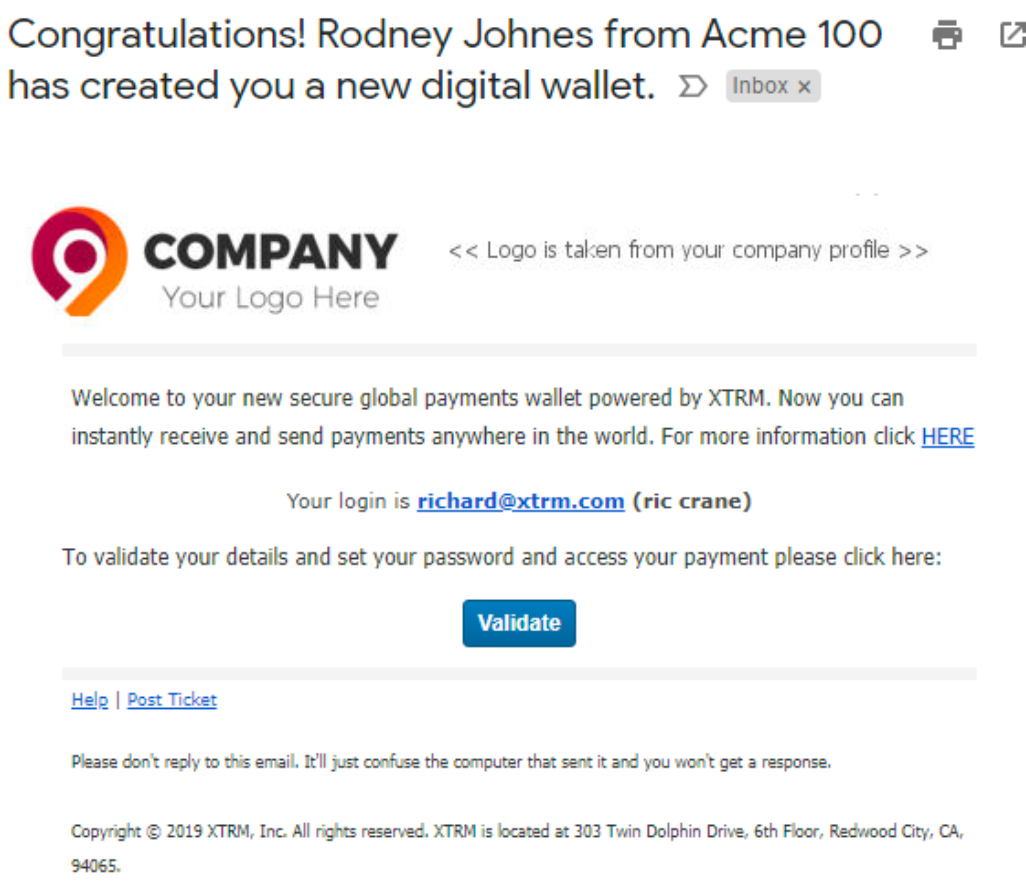
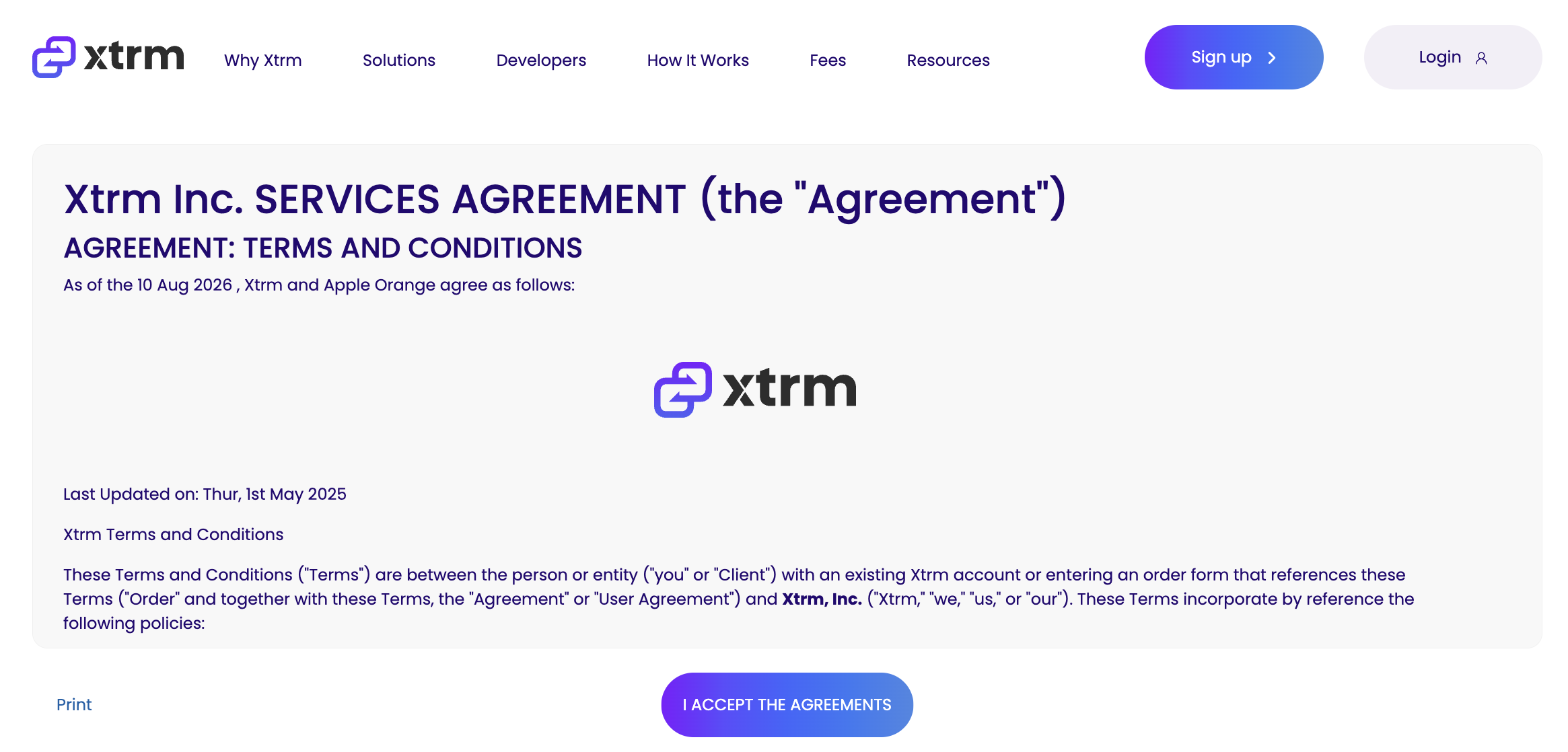
Clicking the link in the notification redirects the user to validate their new account. The user must review and accept Xtrm's Terms and Conditions.
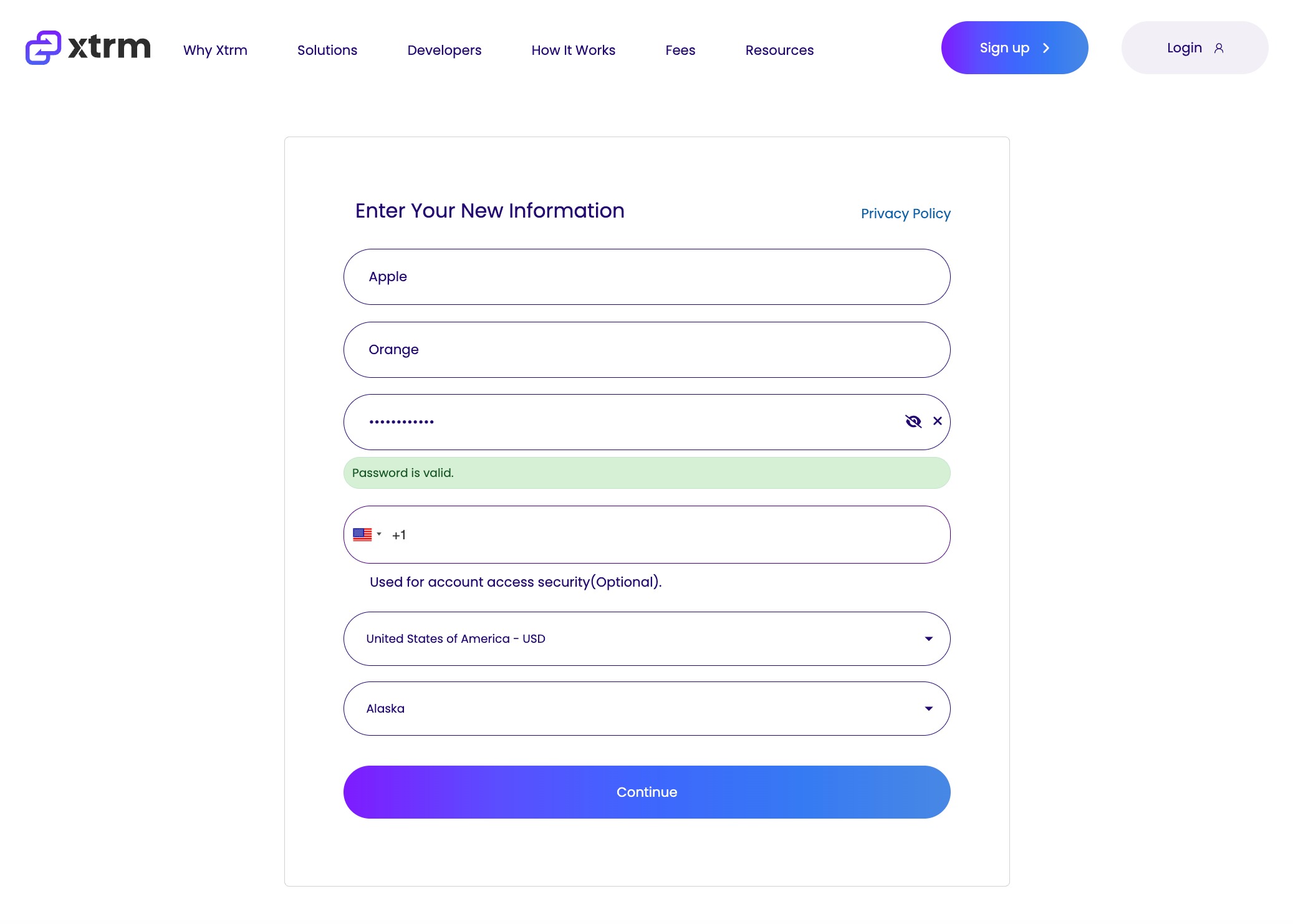
The user is prompted to set their secure account password and select their country and region.
Select the appropriate Usage Option, accept the Privacy Policy, and click Submit Information.
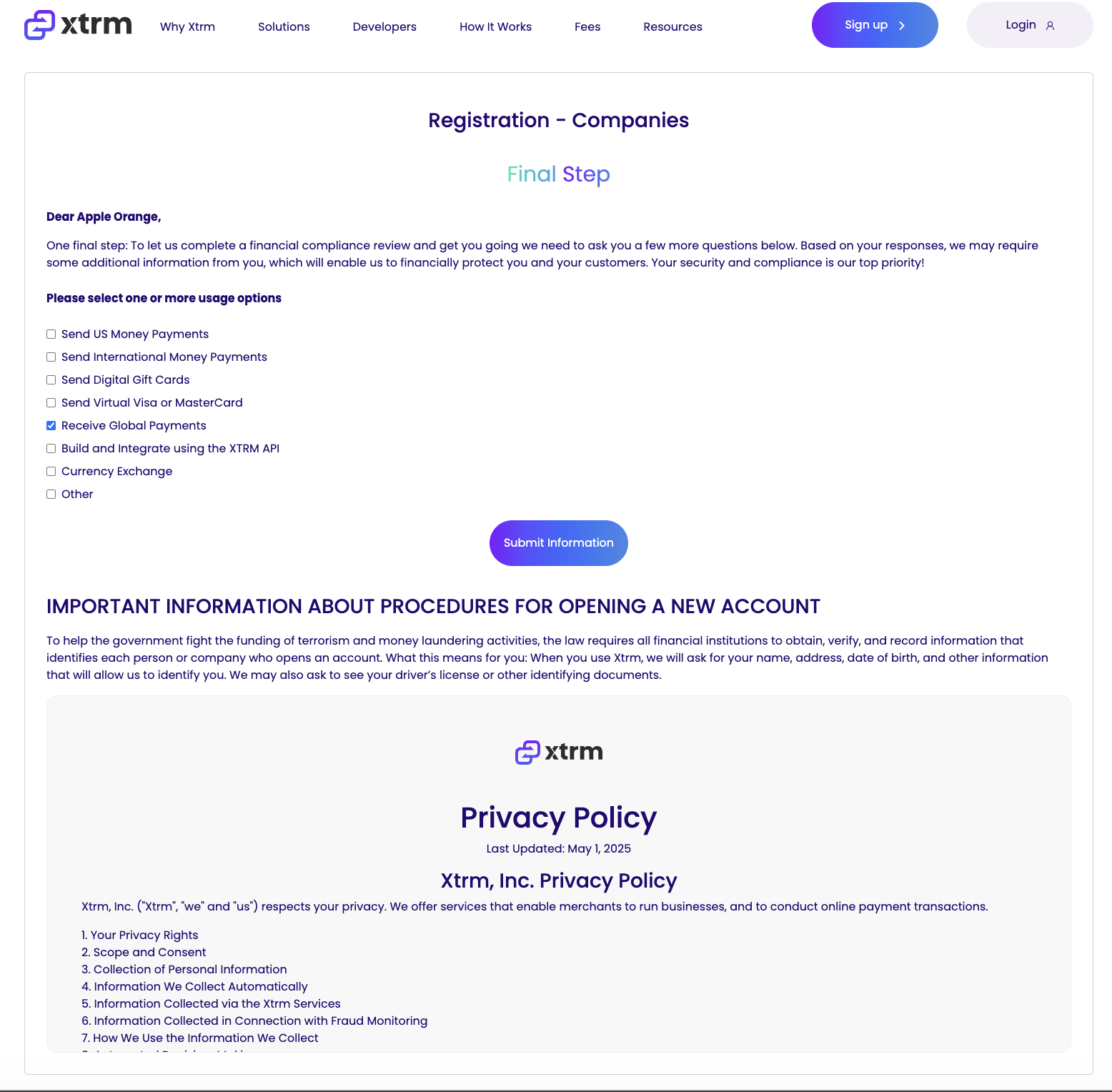
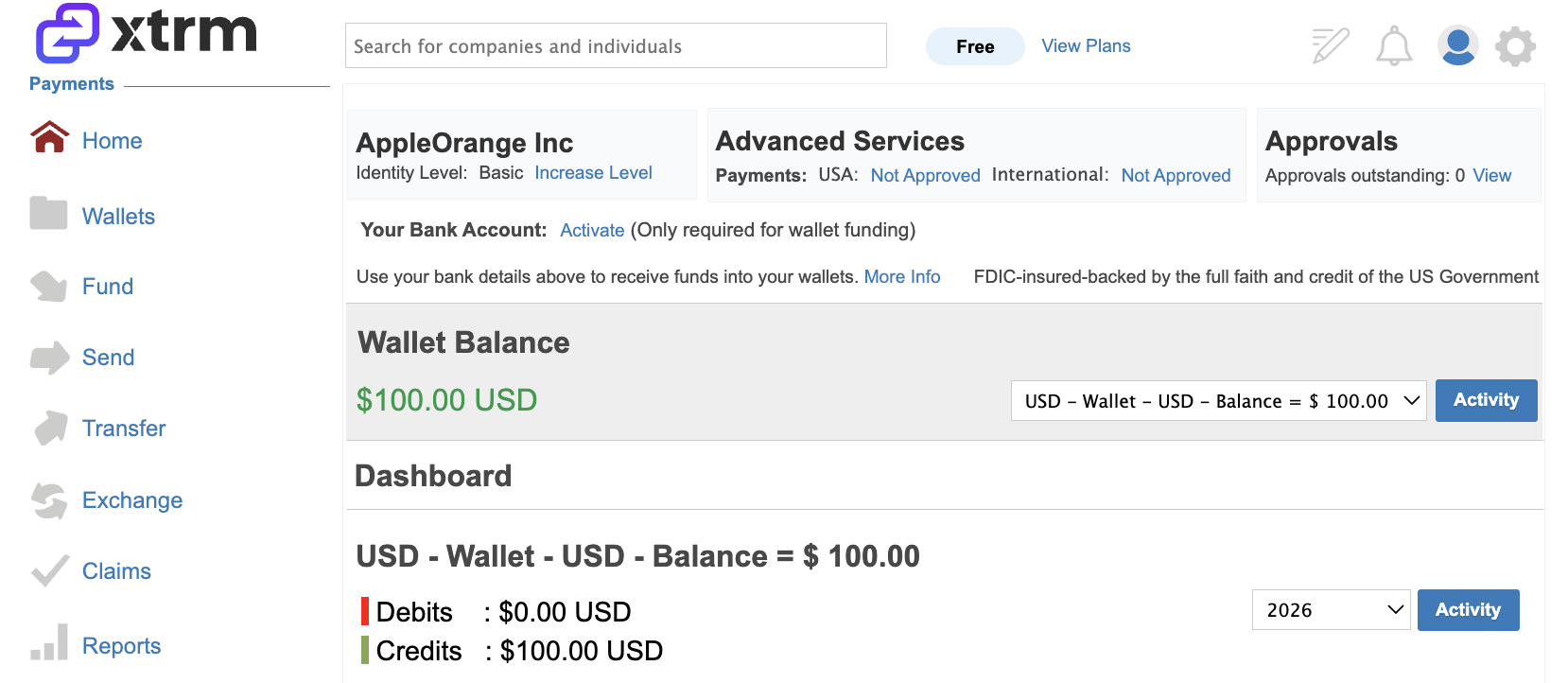
Upon clicking Continue, the user lands on their Xtrm account dashboard. As Master Admin, they can manage company settings, invite team members, access transaction histories, and initiate outgoing payments.
Note for Remitters: Ensure your company logo is updated under your account settings prior to initiating mass payouts so your brand appears in the claim notifications sent to first-time recipients.
Was this article helpful?
That’s Great!
Thank you for your feedback
Sorry! We couldn't be helpful
Thank you for your feedback
Feedback sent
We appreciate your effort and will try to fix the article