Learn how to monitor, search, and track the real-time status of incoming and outgoing payments in your Xtrm account.
Overview
Every payment processed through Xtrm—whether a wallet transfer, bank payout, mass payment, or gift card redemption—is assigned a unique reference record. You can easily view, search, and filter transaction activity to monitor the progress of your funds.
Transaction Status Types & Definitions
Understanding transaction statuses helps you determine where your money is in the processing pipeline—
| Status | Definition | Next Steps |
| Pending / In Progress | The transaction has been initiated and is undergoing bank clearance, batch processing, or security review. | No action needed. Allow 1–3 business days for bank transfers to clear. |
| Completed / Paid | Funds have been successfully delivered to the target Xtrm wallet or financial institution. | Transaction is complete. Receipts/statements reflect updated balances. |
| Unclaimed | Payment was issued to an email address or mobile number that has not yet registered or claimed the payment. | The recipient must log in or complete account setup to claim the funds. |
| Failed / Declined | The transaction could not be processed (e.g., incorrect banking details, closed account, or insufficient funds). | Check bank details or contact support@xtrm.com for further assistance |
| Canceled / Reversed | The transaction was canceled prior to completion or reversed due to a system return. | Funds are returned to the originating wallet balance. |
How to Track Transactions in Xtrm
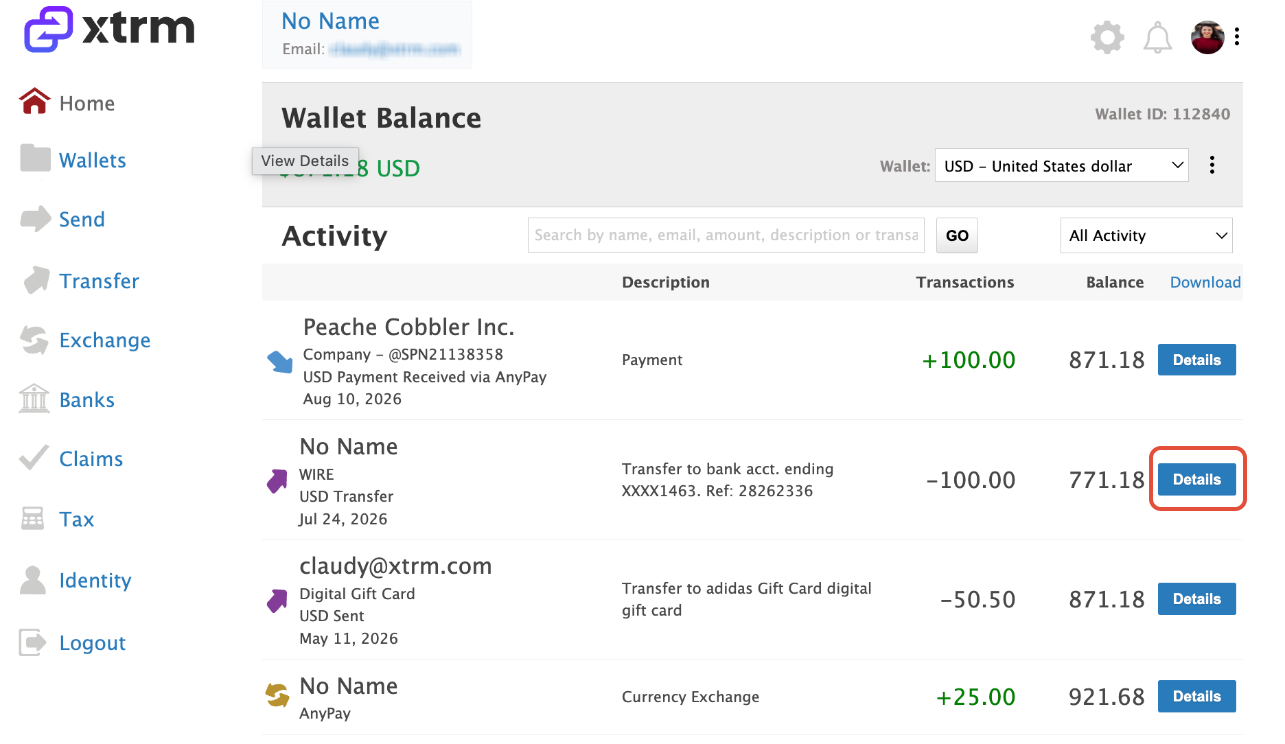
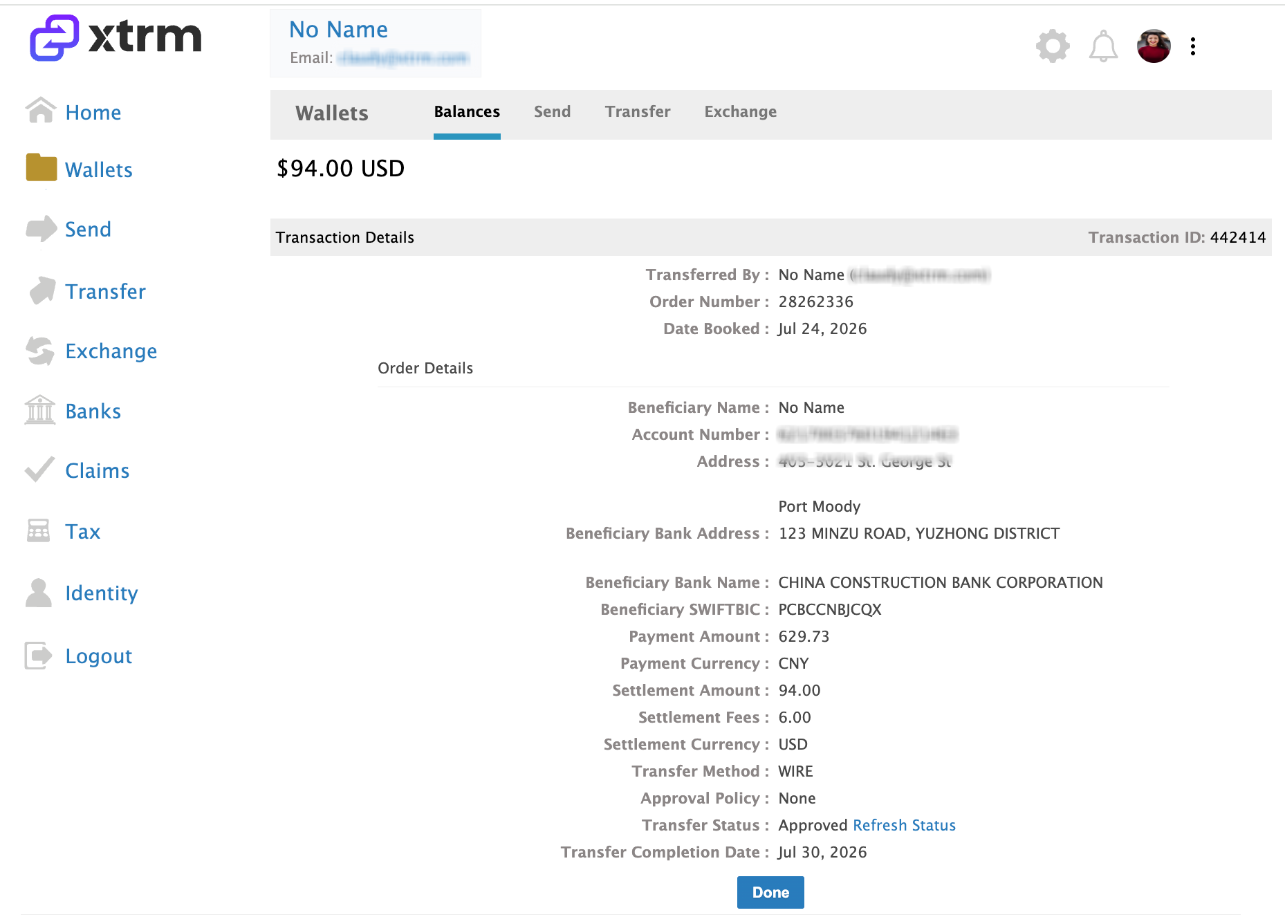
Log in to your Xtrm account. In the main navigation menu, select Wallet. Click Details on any specific transaction row to expand the details pane. View timestamps, fees, conversion rates, and external tracking references.
View timestamps, fees, conversion rates, and external tracking references.
Was this article helpful?
That’s Great!
Thank you for your feedback
Sorry! We couldn't be helpful
Thank you for your feedback
Feedback sent
We appreciate your effort and will try to fix the article