Overview
Xtrm is a secure financial platform committed to protecting your privacy while ensuring compliance with global financial regulations. Under US Federal Law (including the USA PATRIOT Act), financial platforms are required to verify the identity of individuals receiving or transferring funds.
Adding details such as your mobile number, SSN/Tax ID, profile photo, and address increases your account's Identity Level (IDL), unlocking higher transfer limits and enabling seamless tax reporting.
Why Complete Your Profile Information?
Higher Transfer & Withdrawal Limits: Complete profiles unlock advanced Identity Levels (IDL), raising your daily and transaction limits.
Regulatory & Tax Compliance: Required for processing annual tax documentation (e.g., US 1099 reporting).
Enhanced Account Security: Keeps your account protected and simplifies identity verification during account recovery.
Understanding Identity levels and limits for personal accounts
Tax reporting for non-US citizens
How to Add or Update Profile Details
Log In: Go to xtrm.com and sign in to your Personal Account.
Access Identity Settings: On the left-hand navigation menu, click Identity.
Update Profile Sections:
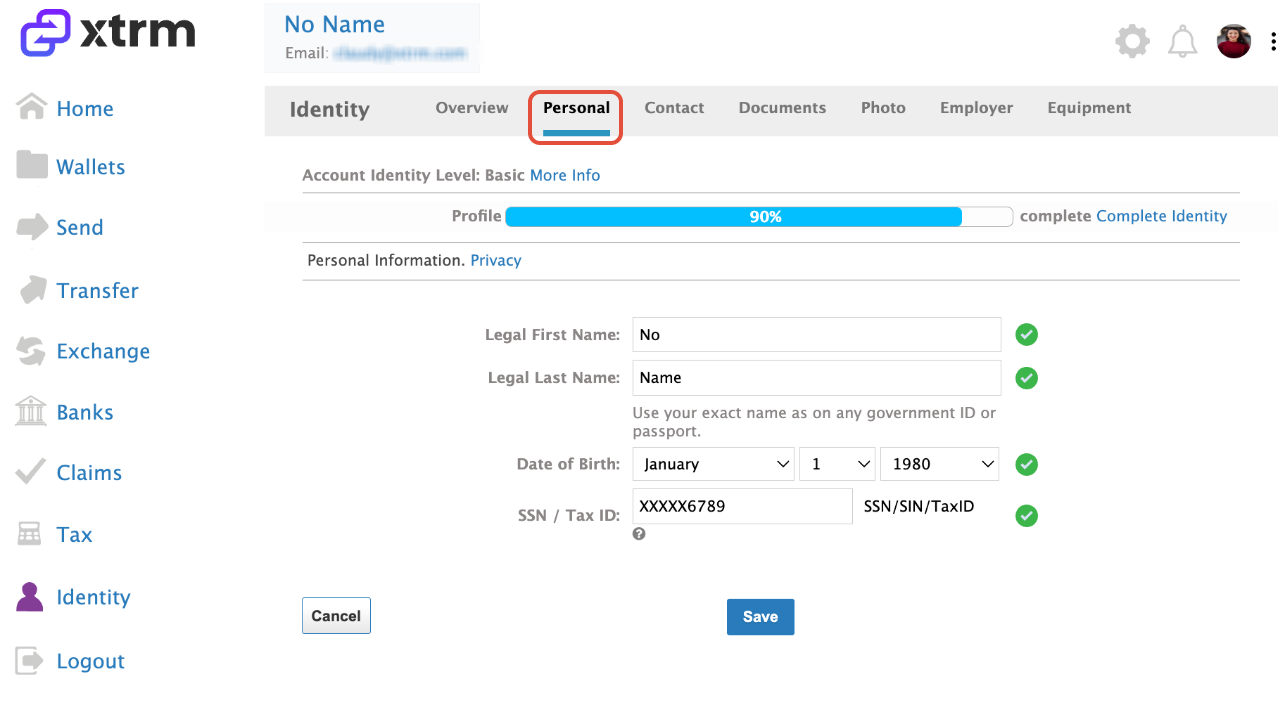
Personal: Select this tab to enter your legal name, date of birth and SSN/Tax ID
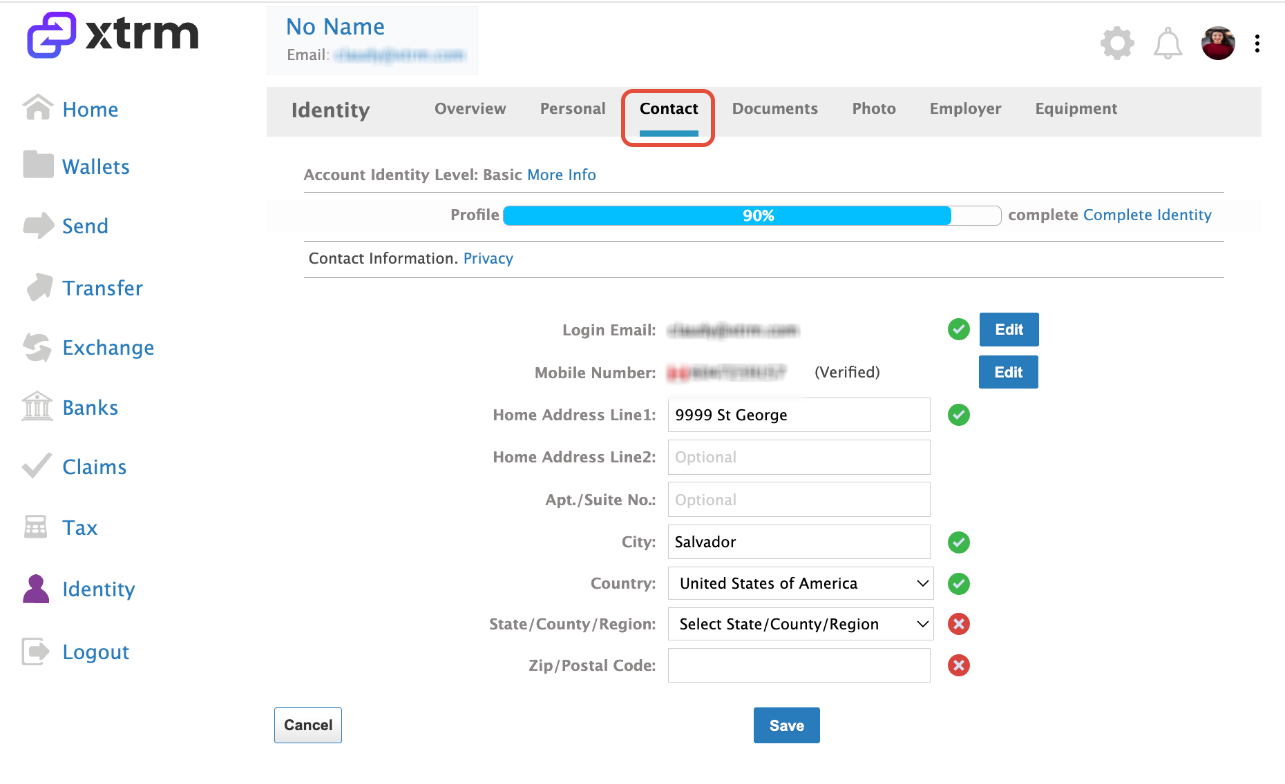
Contact: Select this tab to add or edit your primary mobile number and mailing address.
- Documents: Select this tab to upload government-issued ID documents required for identity verification.
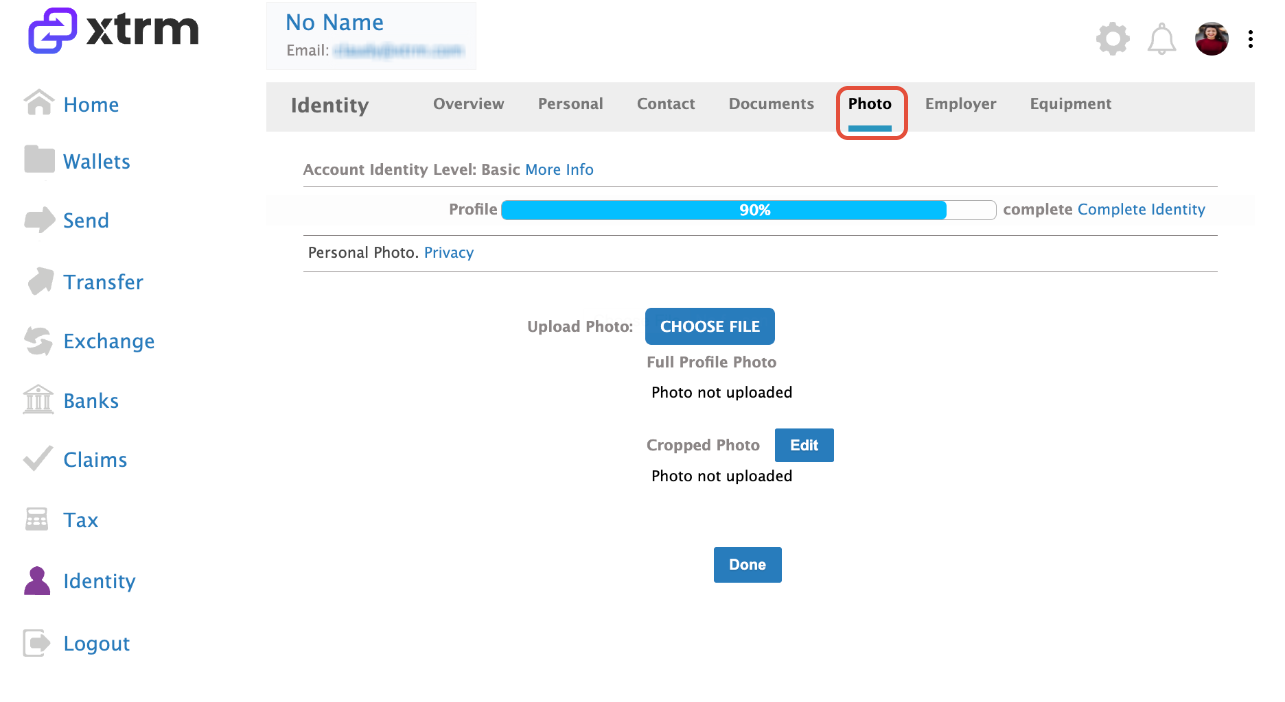
- Photo: Select this tab to upload a profile photo to attach to your account.
- Employer: Select this tab to add your employer information (if applicable).
Save Changes: Ensure all information is accurate and click Save in each section.
Privacy Note: Xtrm keeps all personal data strictly confidential and encrypted in accordance with our Privacy Policy
Personal
Contact
Documents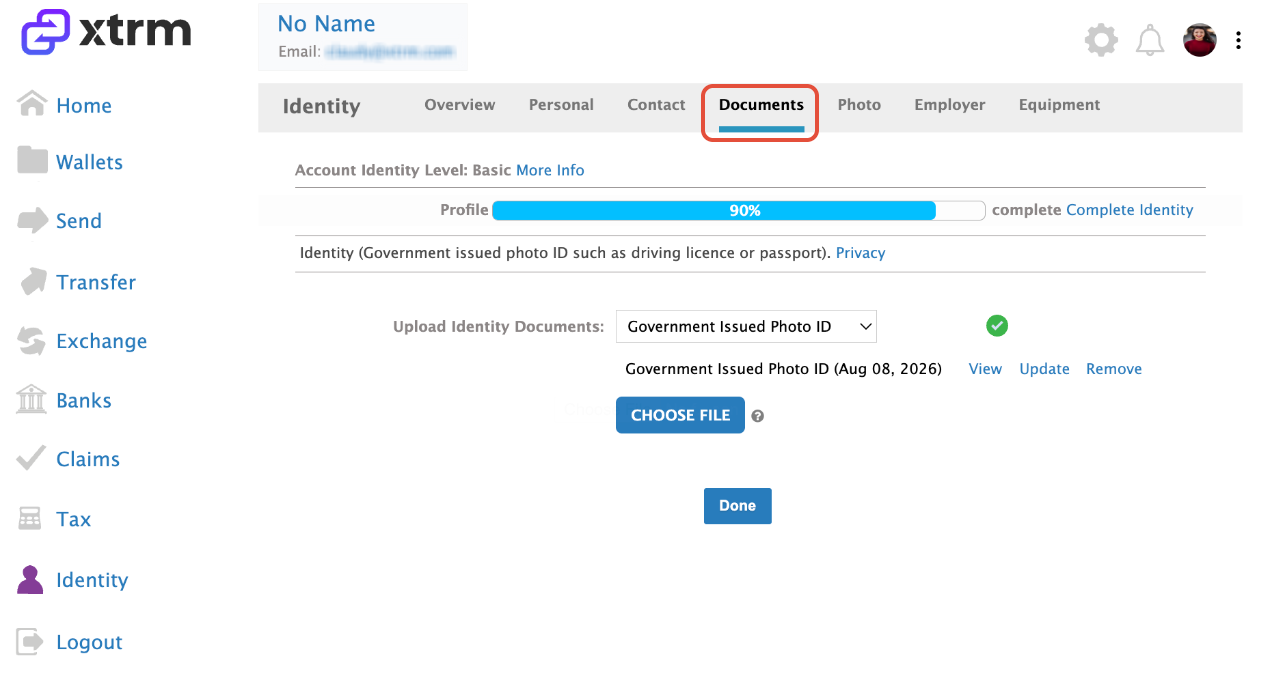
Photo
Employer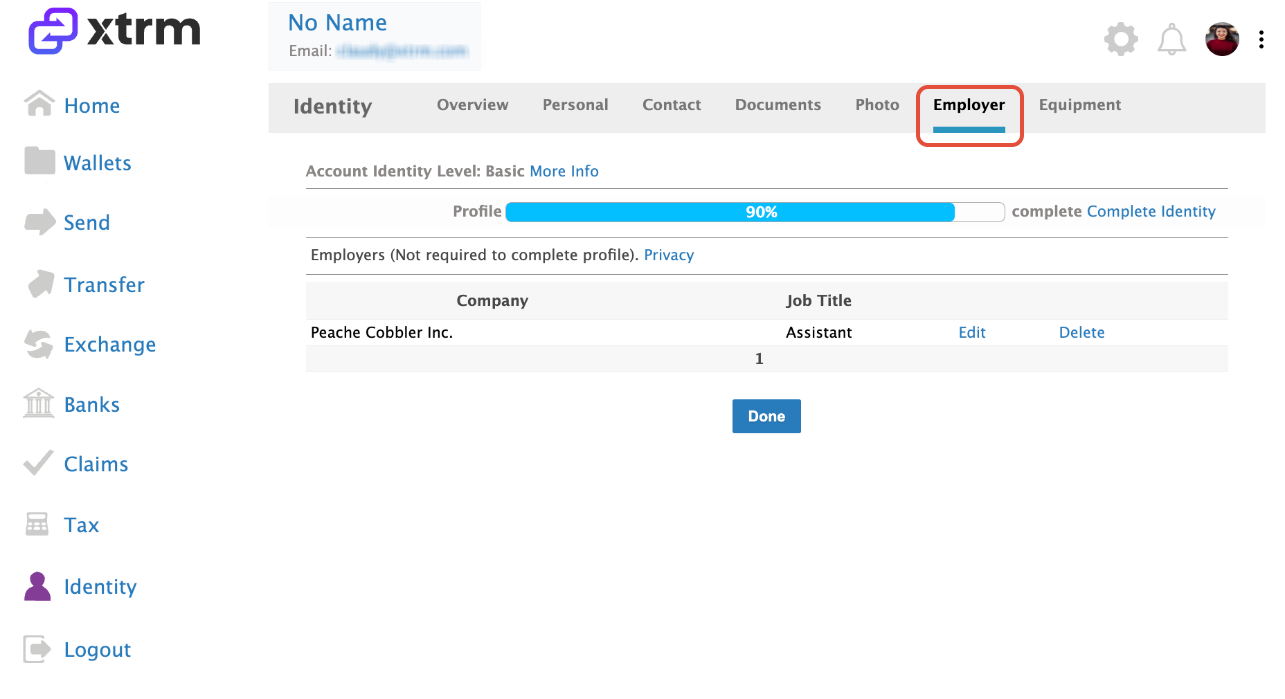
Was this article helpful?
That’s Great!
Thank you for your feedback
Sorry! We couldn't be helpful
Thank you for your feedback
Feedback sent
We appreciate your effort and will try to fix the article