Overview
Transferring your Xtrm wallet balance to a Reward Link Digital Gift Card gives you total flexibility over your rewards. Instead of selecting a single brand upfront, a Reward Link delivers a digital choice code that allows you to choose from hundreds of popular global and national e-gift card brands or charitable donations.
Prerequisites Before Transferring
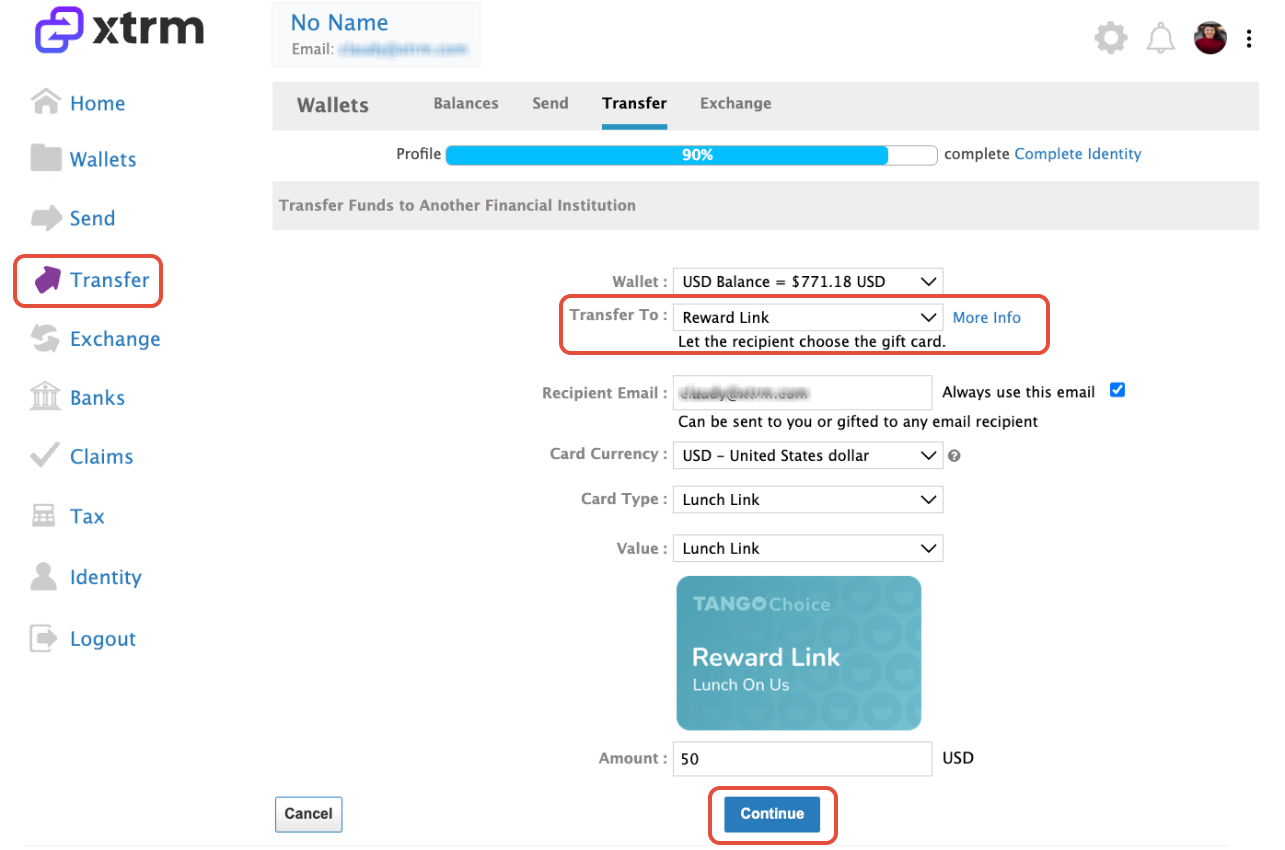
Verified Account: Ensure your personal profile is completed to 100% to meet compliance requirements.
Sufficient Balance: Confirm your wallet balance covers the total Reward Link value selected.
Regional Availability: Reward Link options vary by currency and region (USD, CAD, EUR, GBP, AUD, etc.).
Step-by-Step Instructions
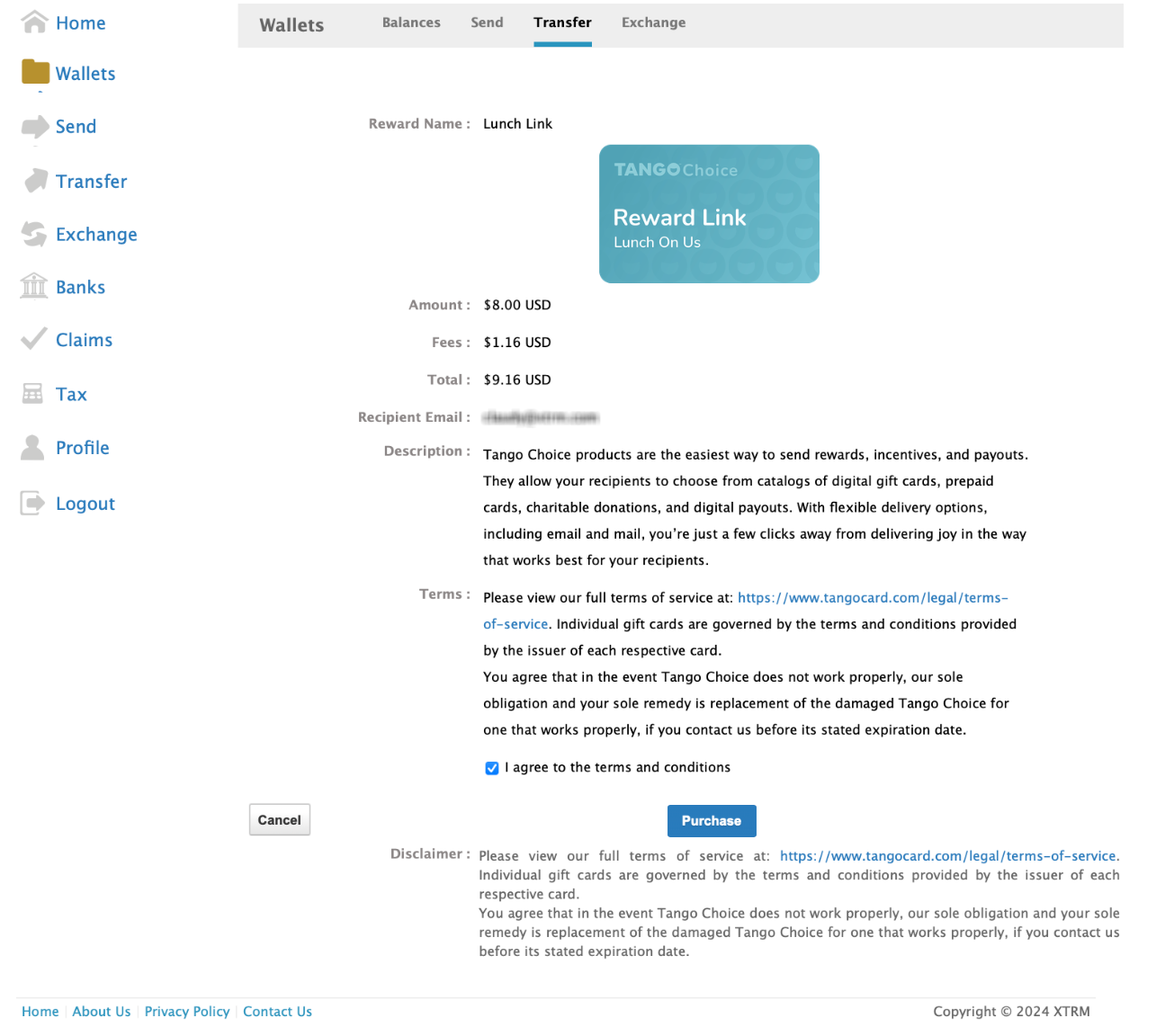
Review the transaction details, check the box to agree to the terms and conditions, and click Purchase.
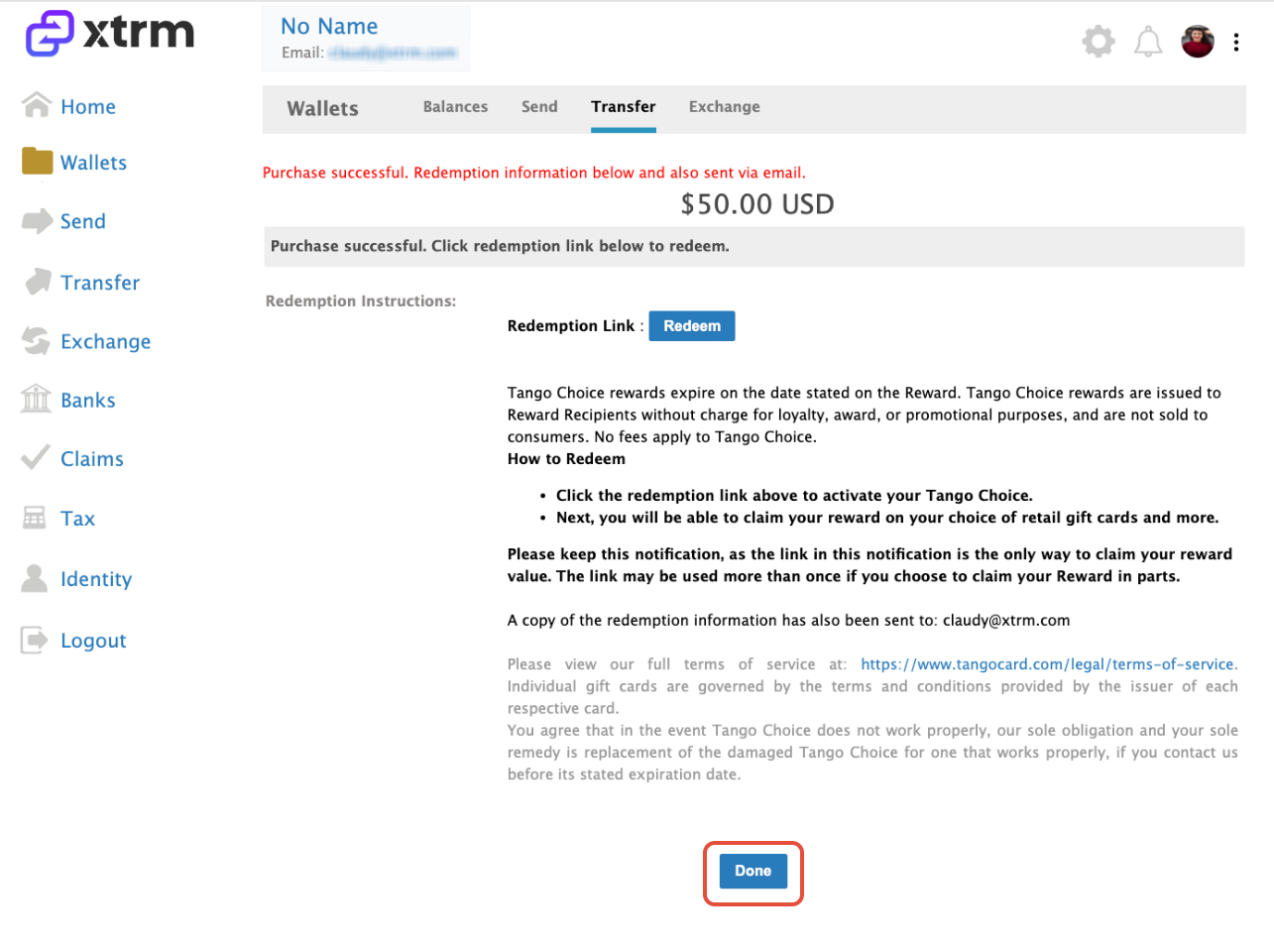
Upon confirmation, your redemption info and Reward Link code will immediately display directly on your screen for instant access.
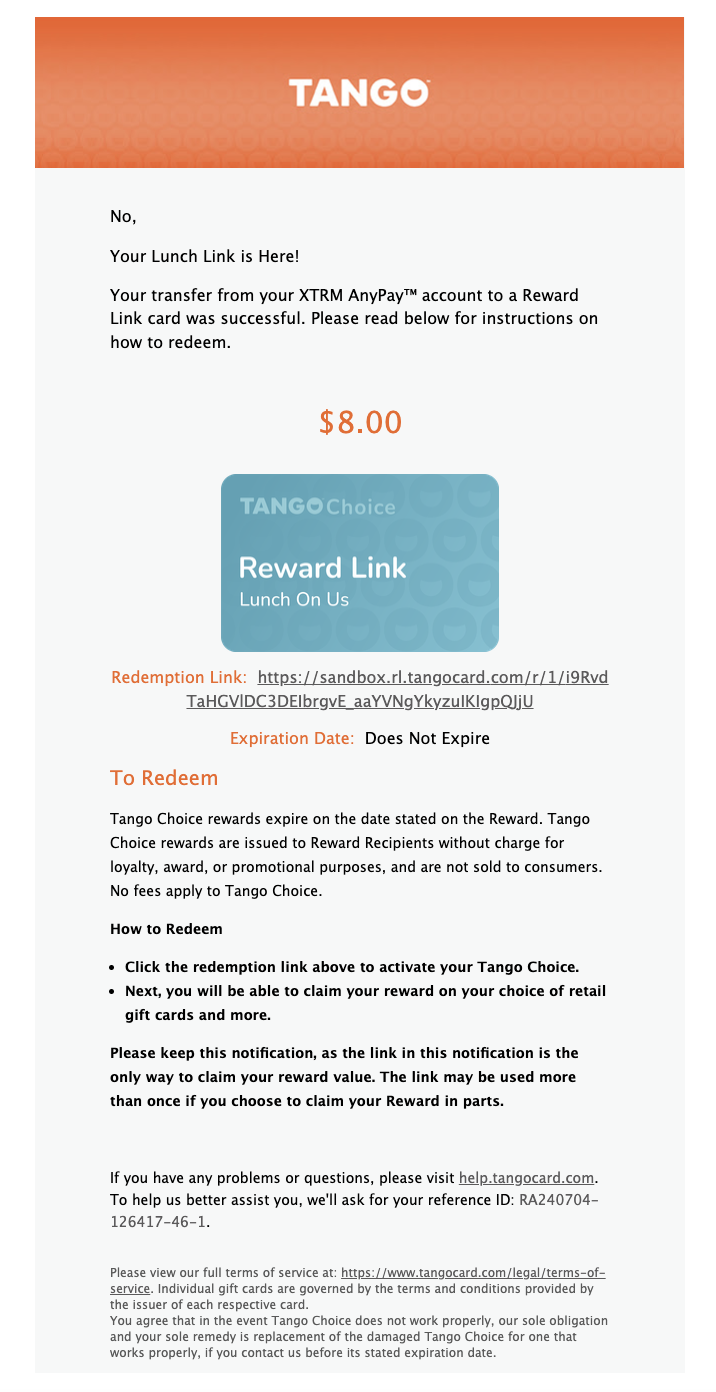
Simultaneously, a confirmation email containing your Reward Link choice code and redemption instructions will be sent to your registered email address.
Example Email Notification:
- Sender: no_reply@notifications.xtrm.com
- Subject Line: Your Reward Link is Here!
How to Redeem Your Reward Link Code
Click the redemption link provided on-screen or in your confirmation email.
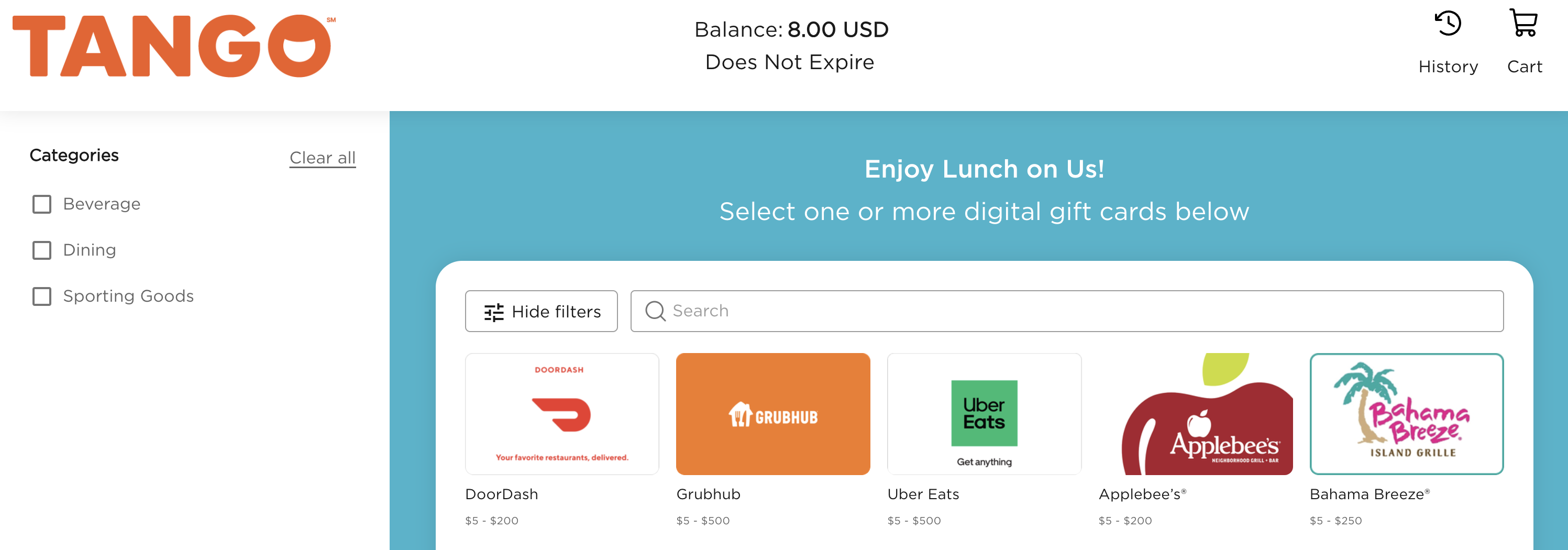
2. Browse the curated catalog of global retailers, restaurants, e-commerce brands, or charities.
3. Select your preferred merchant(s) and split your balance across multiple brands if desired.
4. Complete checkout to receive your selected merchant e-gift card codes instantly on-screen and via email.
Key Things to Know
Instant Delivery: Reward Link choice codes are issued instantly upon transaction confirmation.
Non-Refundable: Once a Reward Link code is generated, the transaction cannot be cancelled or returned to your Xtrm wallet.
Flexible Balance Usage: You do not have to spend the entire Reward Link value at once; any remaining balance can be saved for future gift card selections.
Missing Email: If you don't receive the claim email, check your spam/junk folder or view your active redemption codes under Activity in your Xtrm dashboard.
Was this article helpful?
That’s Great!
Thank you for your feedback
Sorry! We couldn't be helpful
Thank you for your feedback
Feedback sent
We appreciate your effort and will try to fix the article