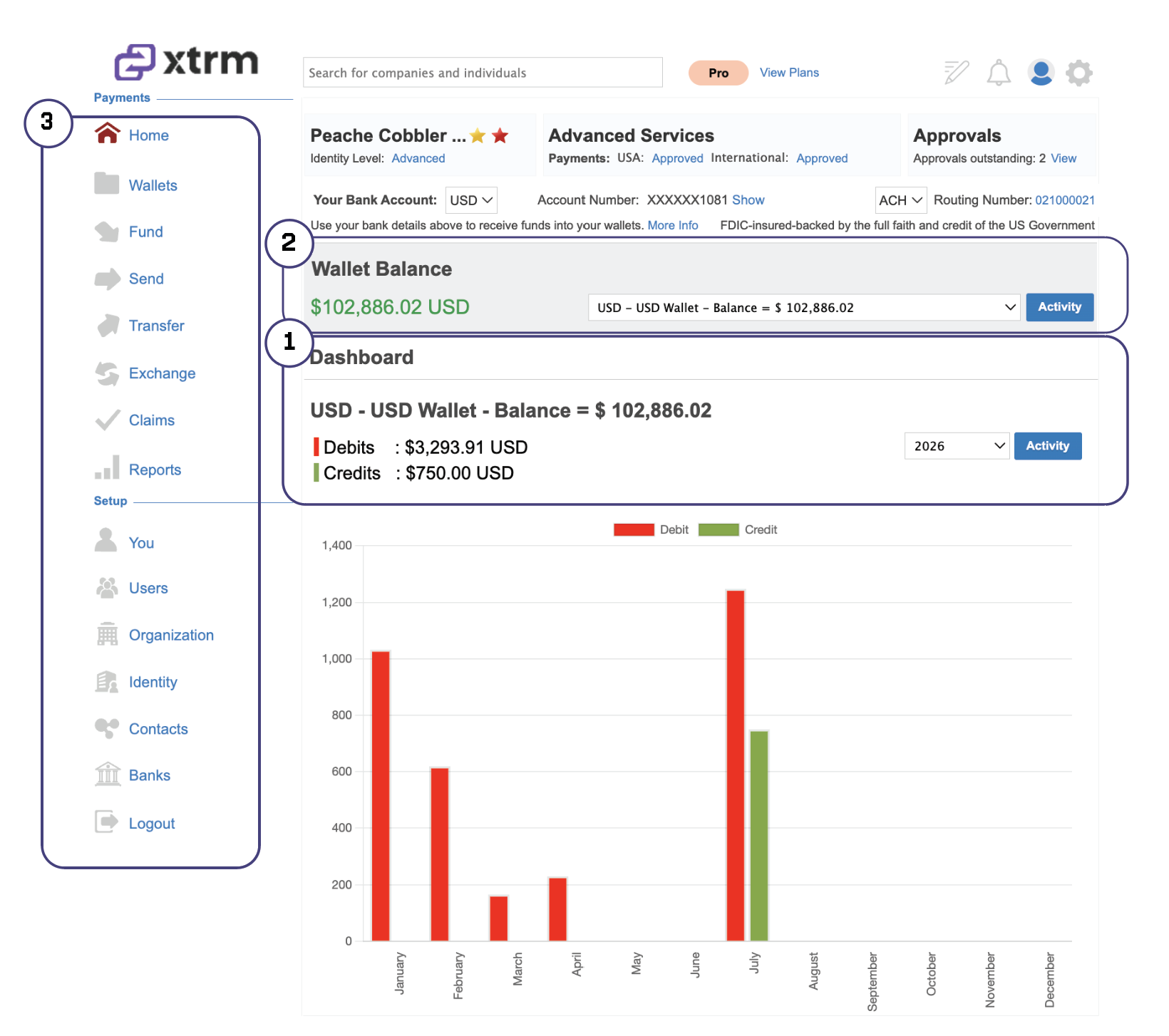
The Company Dashboard (Home Page) serves as your primary hub in Xtrm, providing real-time visibility into your multi-currency balances, recent transaction activity, and core payment management tools.
1. Dashboard
- The Dashboard provides a centralized, real-time overview of all transaction activity across your account. From here, you can track and monitor incoming and outgoing payments, review account performance, and filter transactions by date range.
2. Quick Navigation Menu
Access essential administrative tools directly from the main sidebar:
Send & Transfer: Execute bank direct payments, virtual card issuances, check transfers, or digital gift cards.
Banks & Cards: Manage linked corporate bank accounts and view issued payment cards.
Contacts & Beneficiaries: Manage payees, vendor records, and recipient address details.
Settings & Security: Configure multi-factor authentication (2FA), team user roles, and account preferences.
3. Multi-Currency Wallet Balances
View real-time balances across all your active company wallets (e.g., USD, EUR, GBP, CAD) at a glance.
Quick Actions: Transfer, send, or add funds directly from any individual wallet card.
Default Bank Status: Easily see which linked bank account is assigned as the default payout target for each currency.
Was this article helpful?
That’s Great!
Thank you for your feedback
Sorry! We couldn't be helpful
Thank you for your feedback
Feedback sent
We appreciate your effort and will try to fix the article