Want to see how this works in real-time? Use the interactive demo below to click through the steps before reading the full guide.
Overview
To comply with standard banking regulations, Xtrm requires all companies to complete their profile information. Completing your profile increases your account's transfer limits and enables essential payment capabilities.
1. Company Account Types & Verification Pathways
Your profile setup depends on whether your organization is receiving funds or sending global payments.
| Account Purpose | Required Profile Level | Approval Time | Primary Capabilities Enabled |
Receiving Funds Only
| Organization (Basic) Profile
| Instant | Receive inbound payments and unlock higher transfer limits. |
Sending & Receiving Funds (Remitter) | Organization Profile + Advanced Services Application
| Up to 48 hours (US) / Up to 2 weeks (International) | Execute global payouts via ACH, Wire, Car |
2. Setup Instructions by Account Type
Option A: If Your Company Only Receives Funds
Log into your Xtrm account.
Navigate to Identity
Fill out your corporate address, tax identification details, and business contact information.
Save your changes. Providing comprehensive details automatically raises your account transfer limits.
Refer to COMPLIANCE001 - Understanding identity levels and limits for companies - IDL
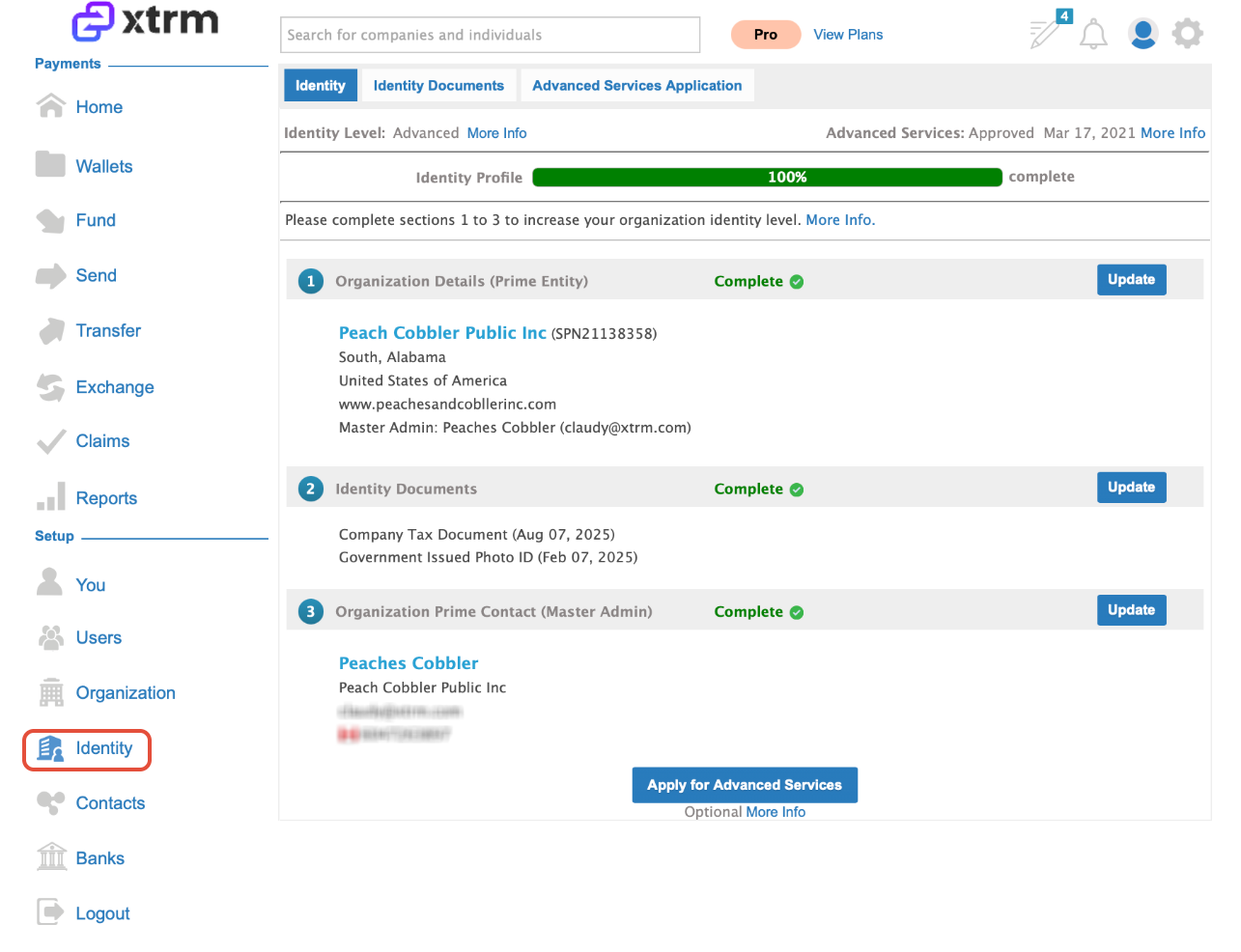
Option B: If Your Company Sends & Receives Funds (Remitters)
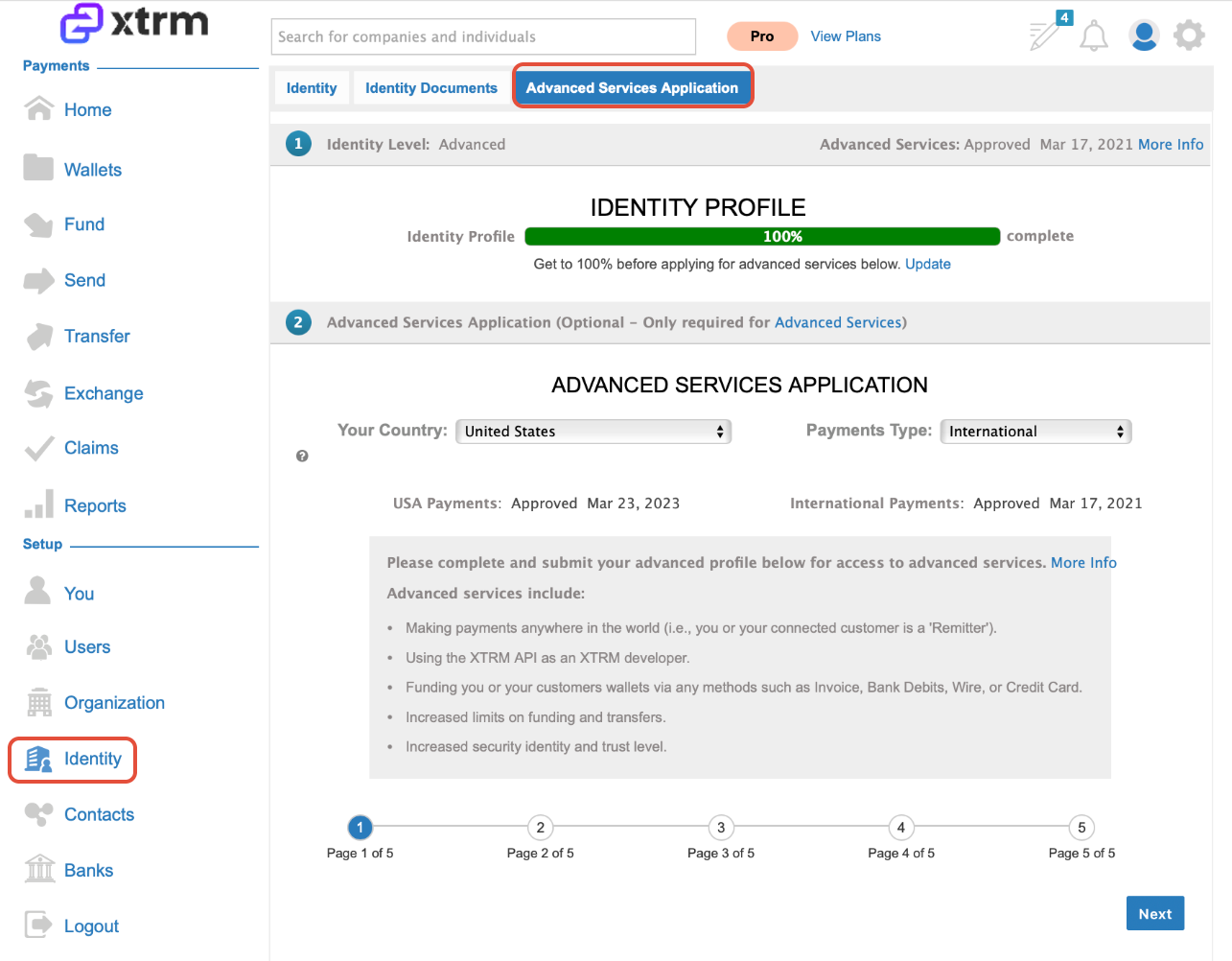
To send payouts to partners, contractors, or customers, you must complete your Organization Profile and submit an application for Advanced Services.
How to Apply for Advanced Services:
Complete your Identity Profile details.
Locate the Advanced Services Application prompt on either your Home dashboard or Profile page.
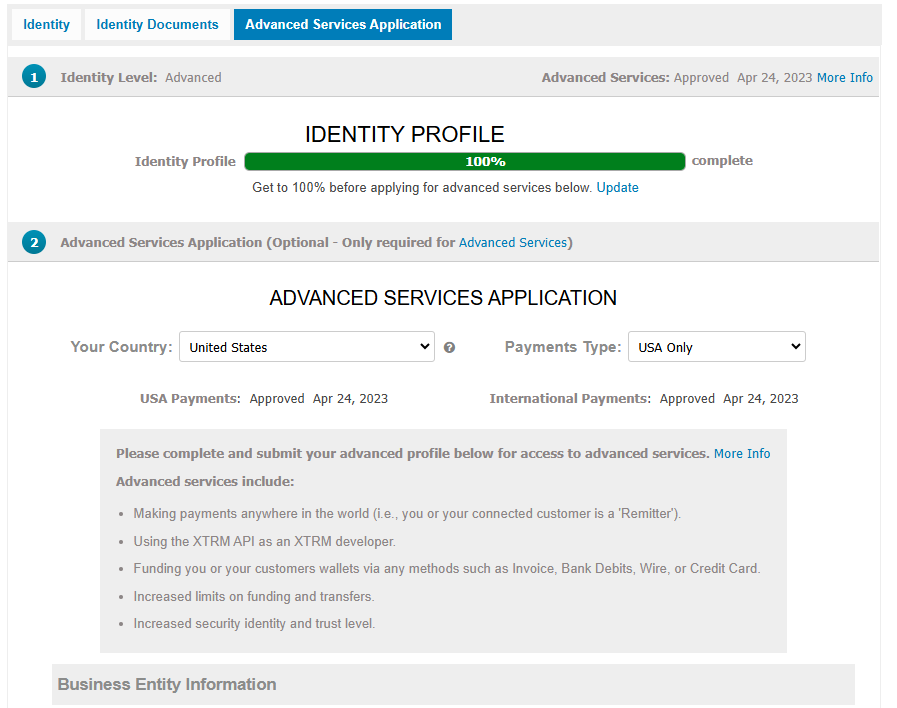
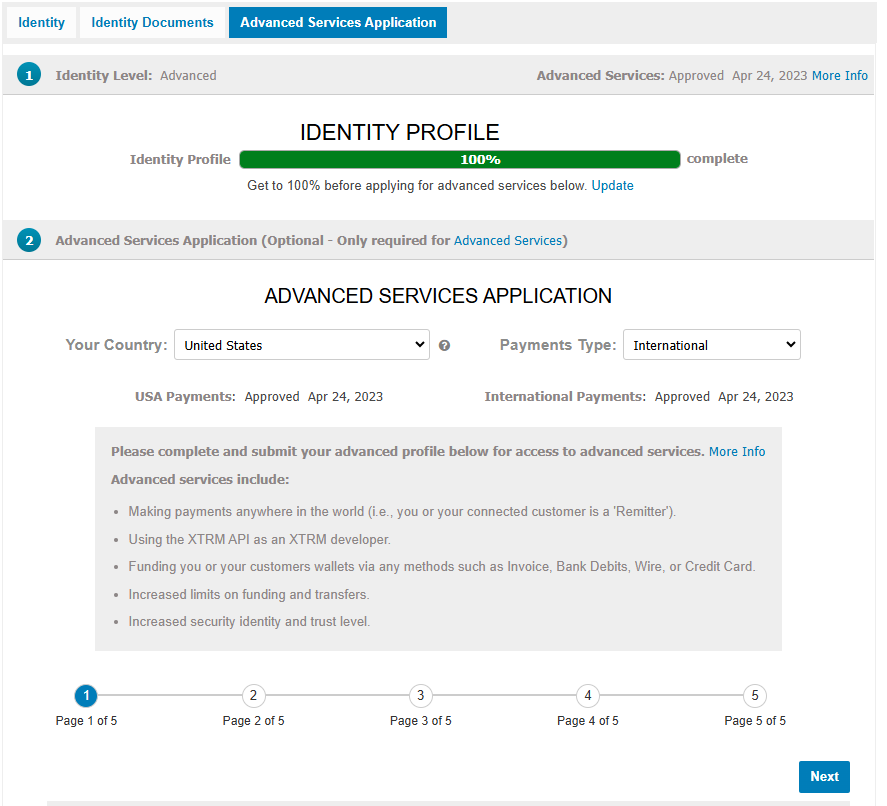
Select your coverage scope:
USA Payments Only: For domestic transactions.
International Payments: For both domestic and cross-border transactions.
Submit your application for compliance review.
Home Page

Identity page
3. Compliance Review & Approval Timelines
Due to regulatory compliance and market verification checks, application timelines vary based on location and business model:
Domestic (USA) Applications: Approval typically takes up to 48 hours.
International Applications: Review typically takes up to 2 weeks depending on your company structure, geography, and business model.
USA Payments Only
USA & International payments
Was this article helpful?
That’s Great!
Thank you for your feedback
Sorry! We couldn't be helpful
Thank you for your feedback
Feedback sent
We appreciate your effort and will try to fix the article