System emails sent by Xtrm notify users or companies when tasks or financial transactions are completed. By default, these emails include standard links and references to xtrm.com for support.
If you are a remitter, partner, or enterprise client, you can customize system email content to align with your organization's brand identity.
Plan Requirement: The Custom Emails feature is available exclusively on the Xtrm Pro Plan (and enterprise/custom tiers). Upgrade your plan in account settings to unlock email template customization along with other custom branding tools.
How to Access and Edit Custom Emails

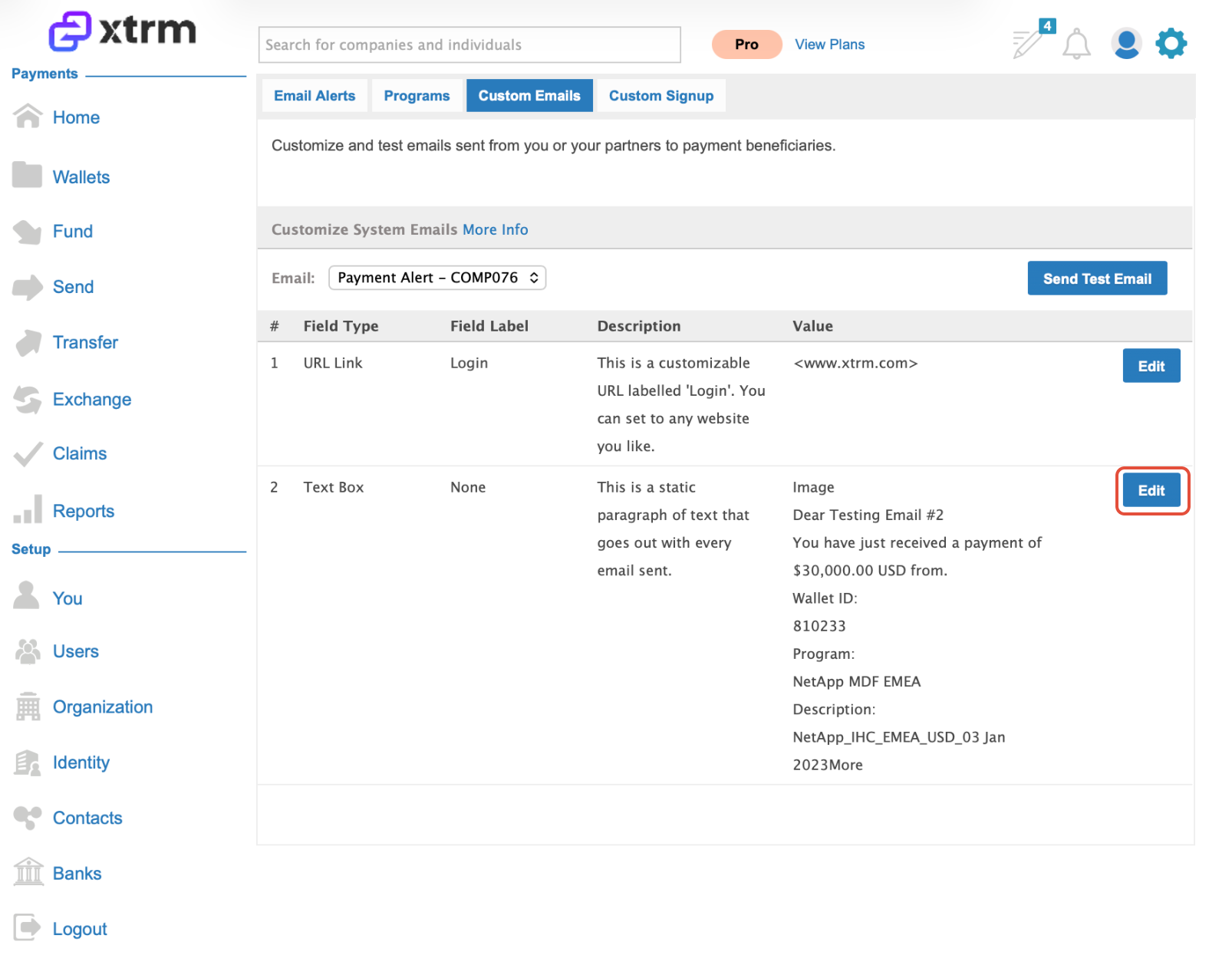
Select the specific email template you want to modify. System emails are divided into modular editable sections. You can update branding copy and custom links while maintaining the required layout.
Send a test email to yourself to review the layout, formatting, and messaging before making it live for recipients.
Important Guidelines
Mandatory Regulatory Copy: Email templates are structured to preserve required regulatory and legal disclosures. Certain mandatory system fields cannot be altered or removed.
Mass Payment Files: When submitting mass payment batch files, notify Xtrm support or your account manager if you want the system to utilize your custom email templates for that payout run.
Requesting New Templates: Xtrm continually adds new customizable system email options. If you require customization for a specific notification type not currently listed, contact support@xtrm.com with your request.
Was this article helpful?
That’s Great!
Thank you for your feedback
Sorry! We couldn't be helpful
Thank you for your feedback
Feedback sent
We appreciate your effort and will try to fix the article